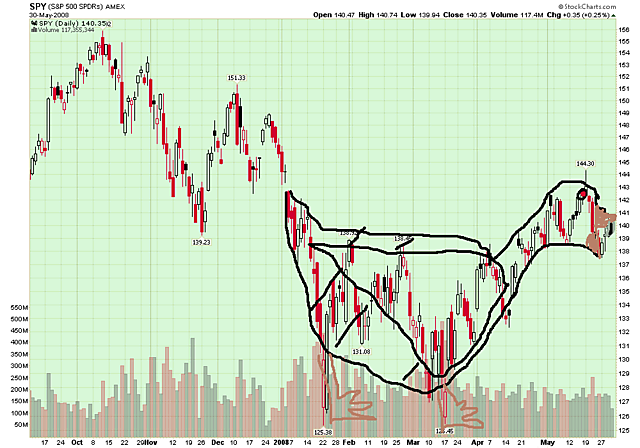

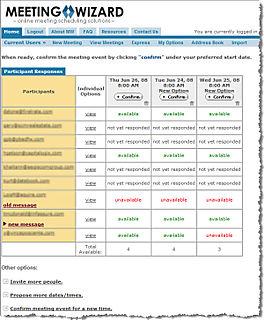
Thoughts about the markets, automated trading algorithms, artificial intelligence, and lots of other stuff

  • Capturing To Do Items and Ideas to Get Things Done

    080606 notepadAn Old Take on New Ideas:

    How many times have you tried to remember something that you knew you
    were forgetting? As I get older, it seems to happen more often. I'm not
    sure if it's because of age, or because I think more and do less.
    Nonetheless, I love having a process to capture, store, and retrieve,
    relevant information.

    For years I've been "a gadget guy." I'm the guy that waits in line to buy the first hot new phone. I always have the best PDA, the newest laptop. And I constantly try different software to capture ideas, produce mind maps, or otherwise give me a creative and competitive advantage.

    Surprisingly, the newest addition to my arsenal of productivity tools is a small pad of paper. Yes, I now carry a small pad of paper in my pocket, and I pull it out to capture ideas, phrases, and to-do items throughout the day. It's quick, easy, and I don't have to worry about it recognizing my handwriting. I recognize my handwriting.

    Throughout the day, I simply write the ideas, phrases, key words – and of course the to do items that I should do, want to do, or want someone else to do.   

    At the end of the day (or when my page is full) I call Copytalk and dictate the whole list into the telephone. A few minutes later, I get an e-mail with all of the items in electronic format. I then copy these and simply paste them into a web application called Toodledo, which is a categorized to-do list accessible online.

    Toodle-do is a great place to help me get things done. It allows me to list each task, categorize it in ways I want, as well as create priorities, due dates, and different tags that you could use for locations or roles. I very quickly ended up with close to 1,000 to-dos sorted in many categories. So when I get an idea on something to write about, or come up with new development projects or things to talk about with friends, I have one place to go.  Best part for me is that when I'm looking for something, this list is easy to search, easy to find, and easy to keep up-to-date.

    All-in-all, it's a pretty good system, and I love how it feels to empty my brain every day.

  • Game Theory (or not) On the “Price is Right”

    Here is a short clip from the TV show the "Price is Right".  The YouTube post bills it as the dumbest contestant ever.  In any case, it was funny.

    Here is the direct link for that video.

    I felt sorry for the contestant, even though I was laughing.

    Schadenfreude can be a funny thing; it always makes me think of a song from the show "Avenue Q".  Bet it makes you smile.

    Here is the direct link for that video.

  • Do You Trust the Government’s Economic Numbers?

    Can you trust the government's economic numbers?  Some people are saying that key measures have been distorted.  At question, among others, the:

    • Consumer Price Index: which tracks inflation at the retail level
    • Gross Domestic Product: which tracks overall economic growth, and
    • Unemployment Figures: which tracks jobs and indirectly measures corporate health.

    We've been given low inflation numbers.  This makes GDP look more robust because it implies that there was increased output, rather than increased prices.  However, with the rising cost of energy and commodities, a bigger portion of each paycheck is going to necessities.  It is not just gasoline either; a quick trip to the grocery store shows what has happened to the price of wheat, rice, and eggs.  At the same time, credit is tightening and the value of their homes are going down.  So, consumers aren't just paying more, they have less to spend.

    The unemployment numbers are artfully adjusted, though perhaps misleading.  For example, the government's number showed gains (rather than losses) in the number of jobs in financial services and construction sectors last month.  Let me remind you how many banks, brokerage houses and funds are closing, or at least laying people off or re-structuring.  And construction hasn't been booming lately, has it?  To see how they did it (hint, birth/death adjustment), read Alan Abelson's piece in Barrons.  Also check-out The Week and Bill Gary in Commodity Information Systems' Price Perceptions. For an interesting take on the recent Congressional Hearings (and Jim Roger's response) it is worth reading RIghtSide Commentary

  • Do You Trust the Government’s Economic Numbers?

    Can you trust the government's economic numbers?  Some people are saying that key measures have been distorted.  At question, among others, the:

    • Consumer Price Index: which tracks inflation at the retail level
    • Gross Domestic Product: which tracks overall economic growth, and
    • Unemployment Figures: which tracks jobs and indirectly measures corporate health.

    We've been given low inflation numbers.  This makes GDP look more robust because it implies that there was increased output, rather than increased prices.  However, with the rising cost of energy and commodities, a bigger portion of each paycheck is going to necessities.  It is not just gasoline either; a quick trip to the grocery store shows what has happened to the price of wheat, rice, and eggs.  At the same time, credit is tightening and the value of their homes are going down.  So, consumers aren't just paying more, they have less to spend.

    The unemployment numbers are artfully adjusted, though perhaps misleading.  For example, the government's number showed gains (rather than losses) in the number of jobs in financial services and construction sectors last month.  Let me remind you how many banks, brokerage houses and funds are closing, or at least laying people off or re-structuring.  And construction hasn't been booming lately, has it?  To see how they did it (hint, birth/death adjustment), read Alan Abelson's piece in Barrons.  Also check-out The Week and Bill Gary in Commodity Information Systems' Price Perceptions. For an interesting take on the recent Congressional Hearings (and Jim Roger's response) it is worth reading RIghtSide Commentary

  • Why Analysis Is Often Flawed

    Imagine thousands of researchers asked to analyze the market, or an
    event like a Fed Statement. Each is searching for a substantial
    answer. Trouble is, there's bias towards "substantial."

    Is there really
    an "Answer"? Doesn't each tick, each move, produce new questions?

    It's
    sometimes like a "Magic Eye" hidden picture. You are searching for the
    vision and all you see is nonsensical chaos. Yet when seen from the right perspective, and with the right focus,
    there is a higher order and the picture becomes clear.

    Time plays a
    role here. Timeframe plays a role here. But so does knowing when the signal to
    noise ratio tells you not to pay attention. Sometimes noise is just noise.

    I've
    been thinking about how the market whispers when to play offense, when
    to play defense, and when not to play at all.  What gives us a clue
    that something meaningful is happening?  Is it:

    • Price Moves;
    • Volume;
    • When Some Moving Average is Above or Below Some Other;
    • Sentiment
    • Fundamental Data
    • Technical Indicators?

    As someone who's played this game for a long time, I'm not looking for magic bullets.  But if I wasn't willing to look, it would be difficult find.  So, model-building and testing will continue.  I'll share more as the picture comes into focus.

  • Why Analysis Is Often Flawed

    Imagine thousands of researchers asked to analyze the market, or an
    event like a Fed Statement. Each is searching for a substantial
    answer. Trouble is, there's bias towards "substantial."

    Is there really
    an "Answer"? Doesn't each tick, each move, produce new questions?

    It's
    sometimes like a "Magic Eye" hidden picture. You are searching for the
    vision and all you see is nonsensical chaos. Yet when seen from the right perspective, and with the right focus,
    there is a higher order and the picture becomes clear.

    Time plays a
    role here. Timeframe plays a role here. But so does knowing when the signal to
    noise ratio tells you not to pay attention. Sometimes noise is just noise.

    I've
    been thinking about how the market whispers when to play offense, when
    to play defense, and when not to play at all.  What gives us a clue
    that something meaningful is happening?  Is it:

    • Price Moves;
    • Volume;
    • When Some Moving Average is Above or Below Some Other;
    • Sentiment
    • Fundamental Data
    • Technical Indicators?

    As someone who's played this game for a long time, I'm not looking for magic bullets.  But if I wasn't willing to look, it would be difficult find.  So, model-building and testing will continue.  I'll share more as the picture comes into focus.

  • Americans Starting to Feel Gas Pains

    Stratfor reports that car-loving Americans drove 11 billion fewer miles in March than they
    did a year earlier. The 4.3 percent decline is the first year-on-year decline since the
    1979 oil shock, and the sharpest decline ever. From: A Record-Setting Change in Driving Habits.  Zogby says behavior is changing because of demand elasticity (big words for drive less if it costs more).

    Oil prices have hit new highs and other commodity prices remain high. Obviously this is having an economic impact; but we should start seeing political and geopolitical impact. The first signs will be internal unrest and serious economic dislocations. The second will be interstate competition for resources.

    From a trader's perspective, it is important to determine whether oil is topping in price. One aspect of that is the amount of oil at sea in tankers. Stratfor reports that tanker rates surged recently, but not consumption. Oil holders, at highs, put their cargo on ships to try to time their sale on the spot market. When a lot of people do that there is a hidden overhang of supply. Something to think about.

    From a consumer's perspective, I'm amazed how often I hear people talk about the price of gas.  Here is an interesting way to compare prices.

    GasBuddy Price Heatmap
    GasBuddy has other features as well.  For example, here is a link to the lowest price found in Dallas.

  • Americans Starting to Feel Gas Pains

    Stratfor reports that car-loving Americans drove 11 billion fewer miles in March than they
    did a year earlier. The 4.3 percent decline is the first year-on-year decline since the
    1979 oil shock, and the sharpest decline ever. From: A Record-Setting Change in Driving Habits.  Zogby says behavior is changing because of demand elasticity (big words for drive less if it costs more).

    Oil prices have hit new highs and other commodity prices remain high. Obviously this is having an economic impact; but we should start seeing political and geopolitical impact. The first signs will be internal unrest and serious economic dislocations. The second will be interstate competition for resources.

    From a trader's perspective, it is important to determine whether oil is topping in price. One aspect of that is the amount of oil at sea in tankers. Stratfor reports that tanker rates surged recently, but not consumption. Oil holders, at highs, put their cargo on ships to try to time their sale on the spot market. When a lot of people do that there is a hidden overhang of supply. Something to think about.

    From a consumer's perspective, I'm amazed how often I hear people talk about the price of gas.  Here is an interesting way to compare prices.

    GasBuddy Price Heatmap
    GasBuddy has other features as well.  For example, here is a link to the lowest price found in Dallas.

  • A Better Copy Than the Original

    ClipMate Logo
    ClipMate is a little piece of software that I didn't expect to think much of.
    Someone recommended that I try it, and I did; but without much hope.
    Instead, I find that it's a utility that I use dozens of times everyday.

    ClipMate Window
    The simple description is that ClipMate is a universal clipboard enhancement that works alongside the regular Windows Clipboard and remembers every piece of data (both text and graphics) that you cut, copy or screen-capture.  Once your data is saved in ClipMate, you can select an item and it is automatically placed back on the Clipboard or directly to wherever you select. 

    The author of ClipMate has been updating this program for over 16 years, and clearly
    listens to user suggestions.  The result is mature product that does
    more than I could have imagined.

    For example, within ClipMate you can view, print, edit, reformat, convert to
    upper/lower case, search, rename, and reorder Clip Items.

    There are
    several "heavy lifting" features such as pasting multiple items all at once, using
    Templates, and lots of "clean-up" functions like spell-check, format stripping, removing extra line breaks, spaces and strange
    characters (I call this de-crappifying the document). All-in-all, it does a lot of things well.

    It's a Clip Organizer Too:

    Once you start using it to capture data, you're going to want to find and use it too.  ClipMate allows you to store your clips in different folders, or
    collections, based on how you work, and to set retention rules accordingly. I suspect that many users keep their most-commonly used data in their "Safe" collection, while others spread it out by topic, project, source, etc..  Personally, I have a section for "Templates" that I re-use, Quotes, Things to Purchase, Web Sites, Passwords, Humor, even graphic elements. 

    Beyond basic organization, it is searchable; so I can find
    something that I saved, regardless of where I put it.

    ClipMate can hold tens of thousands of items, and its SQL-based search engine can find them all quickly for you.  Even if you decide to do nothing special with your clips – you'll always have the last 1000 clips at you disposal, ready to paste wherever you need them.  When you're ready to use a "clip", just select it in ClipMate, and it's "loaded" onto the system clipboard, ready for pasting into any program.  And with many programs, you can now drag/drop the clip directly from ClipMate.

    Try it; it's an incredibly useful tool that you'll use everyday.

  • A Better Copy Than the Original

    ClipMate Logo
    ClipMate is a little piece of software that I didn't expect to think much of.
    Someone recommended that I try it, and I did; but without much hope.
    Instead, I find that it's a utility that I use dozens of times everyday.

    ClipMate Window
    The simple description is that ClipMate is a universal clipboard enhancement that works alongside the regular Windows Clipboard and remembers every piece of data (both text and graphics) that you cut, copy or screen-capture.  Once your data is saved in ClipMate, you can select an item and it is automatically placed back on the Clipboard or directly to wherever you select. 

    The author of ClipMate has been updating this program for over 16 years, and clearly
    listens to user suggestions.  The result is mature product that does
    more than I could have imagined.

    For example, within ClipMate you can view, print, edit, reformat, convert to
    upper/lower case, search, rename, and reorder Clip Items.

    There are
    several "heavy lifting" features such as pasting multiple items all at once, using
    Templates, and lots of "clean-up" functions like spell-check, format stripping, removing extra line breaks, spaces and strange
    characters (I call this de-crappifying the document). All-in-all, it does a lot of things well.

    It's a Clip Organizer Too:

    Once you start using it to capture data, you're going to want to find and use it too.  ClipMate allows you to store your clips in different folders, or
    collections, based on how you work, and to set retention rules accordingly. I suspect that many users keep their most-commonly used data in their "Safe" collection, while others spread it out by topic, project, source, etc..  Personally, I have a section for "Templates" that I re-use, Quotes, Things to Purchase, Web Sites, Passwords, Humor, even graphic elements. 

    Beyond basic organization, it is searchable; so I can find
    something that I saved, regardless of where I put it.

    ClipMate can hold tens of thousands of items, and its SQL-based search engine can find them all quickly for you.  Even if you decide to do nothing special with your clips – you'll always have the last 1000 clips at you disposal, ready to paste wherever you need them.  When you're ready to use a "clip", just select it in ClipMate, and it's "loaded" onto the system clipboard, ready for pasting into any program.  And with many programs, you can now drag/drop the clip directly from ClipMate.

    Try it; it's an incredibly useful tool that you'll use everyday.